
HQx Dock Setup
Components
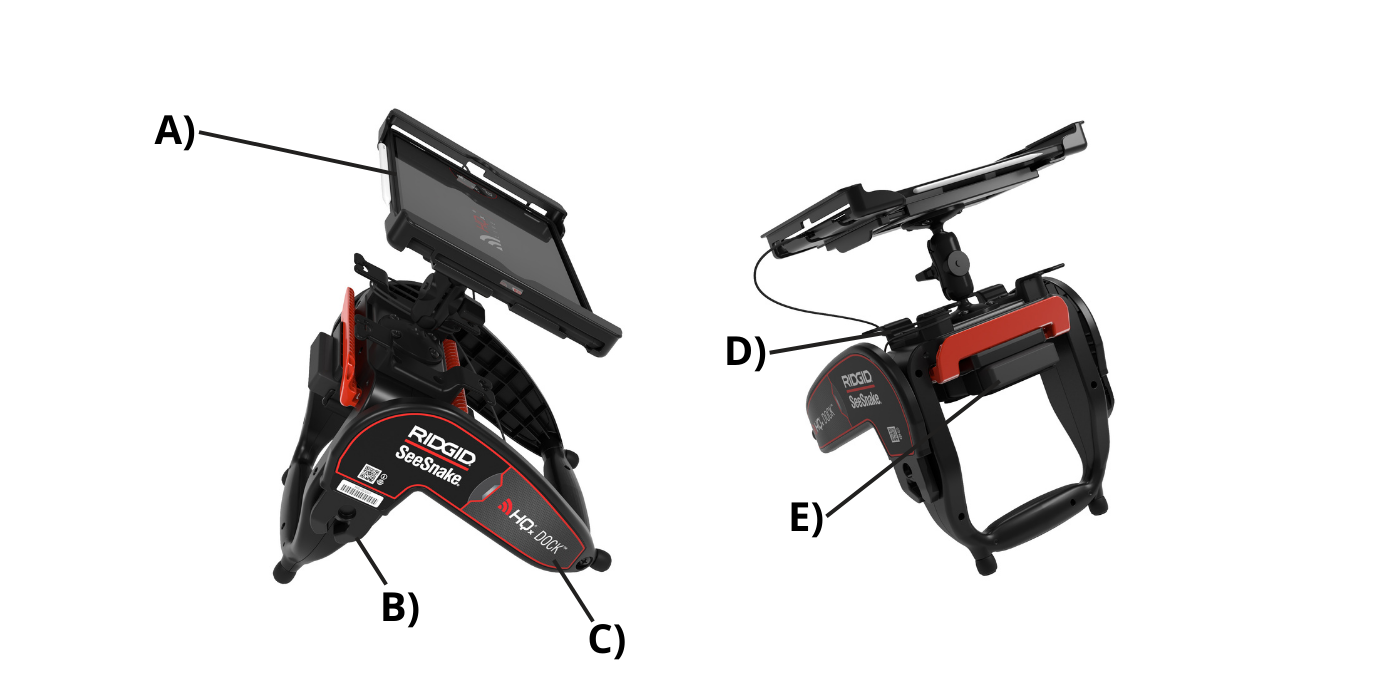
| Label | Description |
|---|---|
| A) | Tablet Holder |
| B) | Docking Joint |
| C) | Kick Stand |
| D) | Cord Wrap |
| E) | Power Bank Fasteners |
- Insert the tablet into the holder, pressing the edge of the tablet against the side with the extension tab. The holder will extend to accommodate the tablet.
- To release, pull the extension tab outwards to extend the holder and remove the tablet.
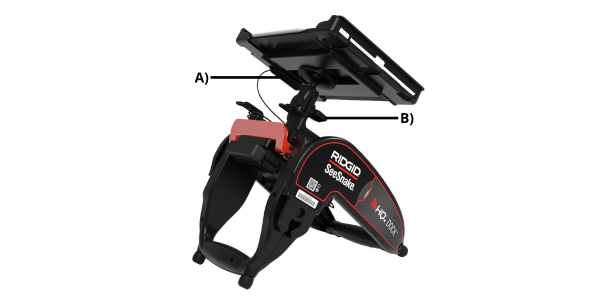
Label Description A) Extension Tab B) Viewing Adjustment Knob - To adjust the viewing angle of the tablet, twist the viewing adjustment knob counterclockwise to loosen the pivoting arm. The holder may be rotated 360°. Twist the knob clockwise to tighten the arm into place.
Viewing System
The HQx Dock’s position can be adjusted to create a desired viewing angle. Grasp the frame and rotate the kickstand to adjust the viewing angle.